
Kia Telluride: Lighting / Lighting control
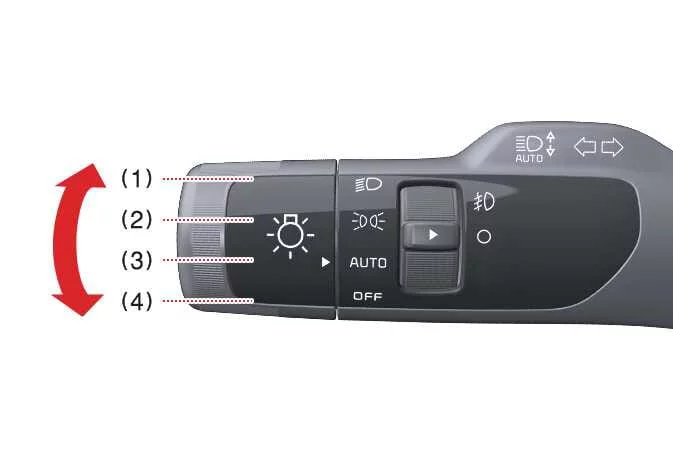
Managing the visibility of your Kia Telluride is straightforward and intuitive. The light control system, integrated into the steering column lever, provides precise operation for your headlights and position lamps, ensuring confidence and safety in various driving conditions.
|
|
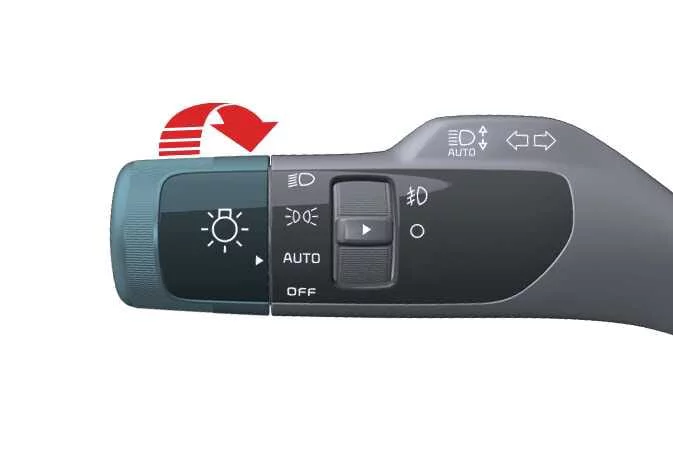
To operate the lights on your Kia Telluride, simply rotate the knob located at the end of the control lever to select your desired mode.
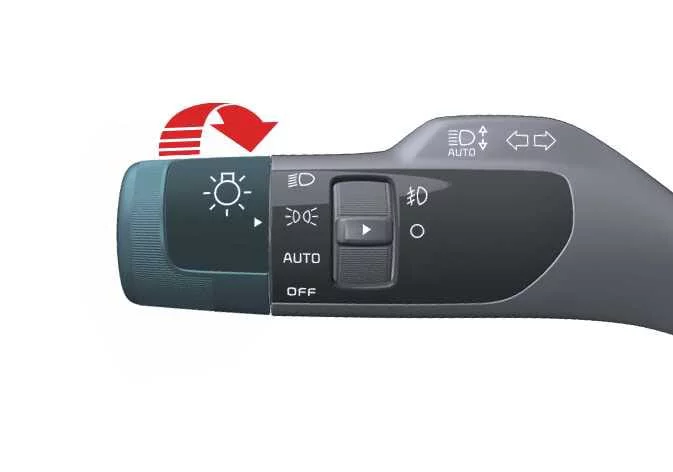
Position Lamps and Taillights
|
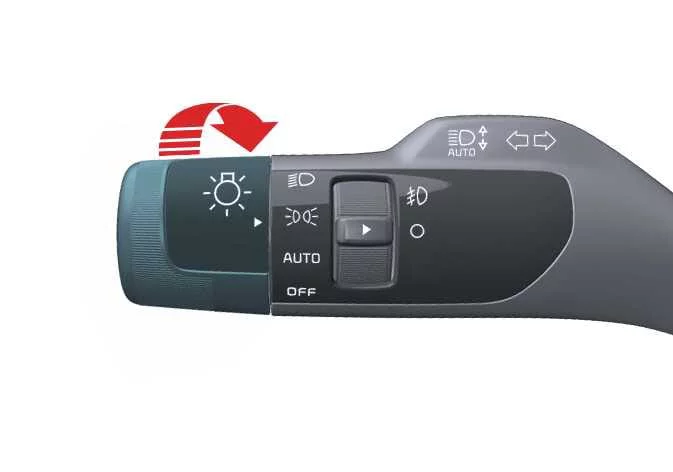
When the light switch is toggled to the lamp position, the front position lamps, taillights, and license plate illumination will activate, enhancing your vehicle's presence in low-light conditions.
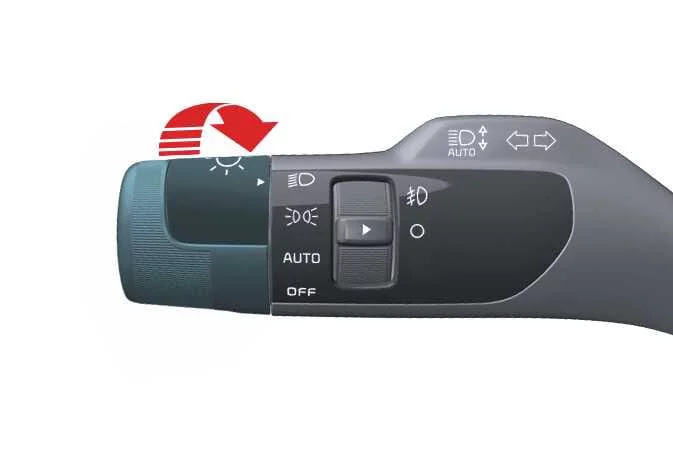
Headlight (Low Beam)
|
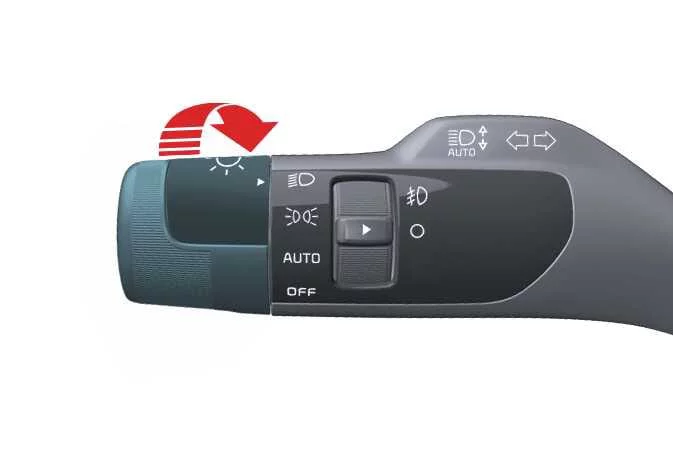
By rotating the switch to the headlight position, you engage the low beam headlights along with the taillights and license plate lamp for primary nighttime visibility. Please ensure the vehicle is in the ON position to successfully activate the headlight system.
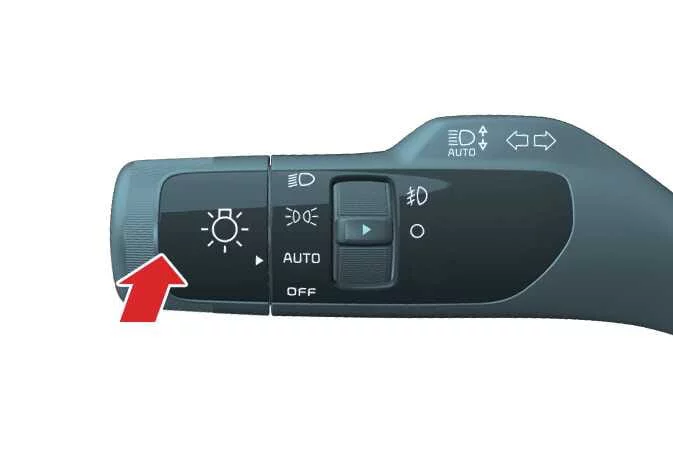
Headlight (High Beam)
|
|
-
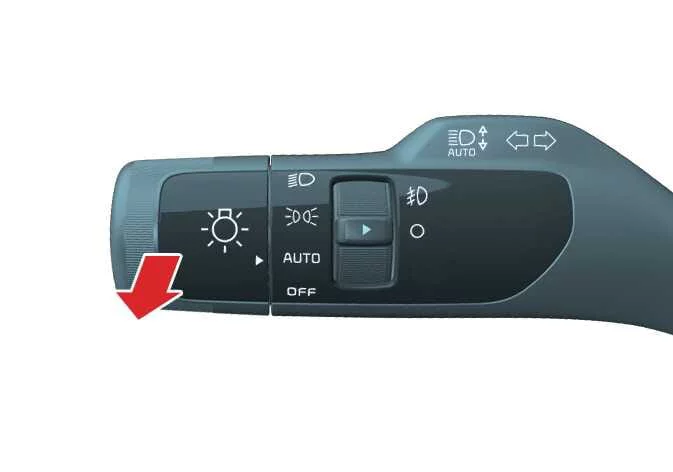
To activate high beam headlights, push the lever away from you. The lever will then return to its central position, while the high beam indicator illuminates on the instrument cluster to confirm activation.
-
To briefly flash the high beam headlamps, pull the lever toward you and release it. The lever returns to the default low beam setting immediately upon release. This flash function works independently, meaning the headlight switch does not need to be in the ON position to use it.
WARNING
High beams
To ensure safety for all road users, do not utilize high beam headlights when following other vehicles or when traffic is approaching from the opposite direction, as the intensity of the light can severely impair the vision of other drivers.
Auto light
|
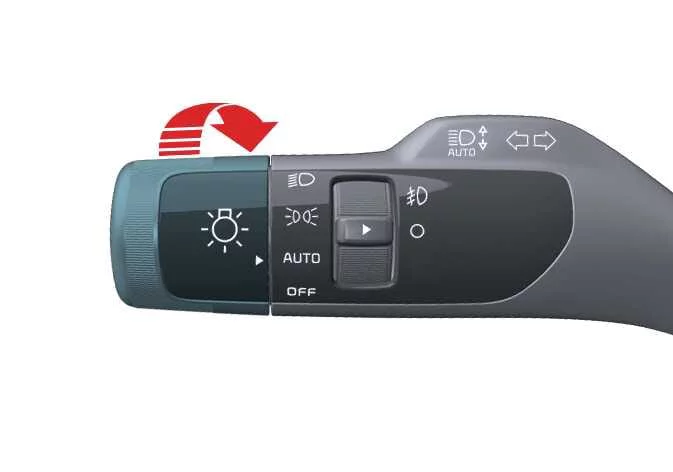
When the switch is set to the AUTO light position, the Kia Telluride intelligent system monitors ambient lighting conditions and automatically toggles your headlights and taillights on or off, providing a seamless driving experience.
Light switch settings
| Setting | Result |
|---|---|
|
Front position lamps, taillights, and license plate lamp are illuminated. |
|
Low beam headlights, taillights, and license plate lamp are illuminated. |
|
Taillights and headlights automatically cycle based on ambient external lighting levels. |
NOTE
-
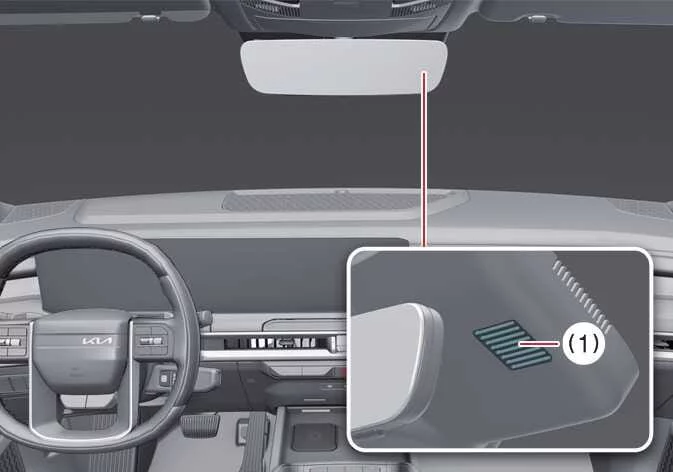
The system sensor (1) is positioned on the front windshield to ensure optimal performance of the AUTO light system.
-
Avoid applying window cleaning agents directly to the sensor area, as residue can create a thin film that degrades detection capabilities.
-
If your Kia Telluride has aftermarket window tinting or metallic coatings applied to the front windshield, the AUTO light system may experience functional interference.
Turn and lane change signal operation
|
For your turn signals to operate, the ignition must be in the ON position.
-
To signal a turn, push the lever up or down (1). Green arrow indicators on the dashboard will blink to confirm which direction is signaled. The system automatically cancels the signal after a turn; however, if the indicator continues to flash, you can manually return the lever to the neutral OFF position.
-
To signal a lane change, gently move the turn signal lever slightly and hold it in place (2). Upon release, the lever will automatically spring back to the OFF position.
If an indicator light remains static or flashes with an abnormal rhythm, it typically indicates that a bulb has reached the end of its service life and requires replacement.
One-touch lane change function
The Kia Telluride features a convenient one-touch lane change function. Briefly push the lever and release it to trigger the signal to flash 3, 5, or 7 times—a perfect feature for highway maneuvers. You can customize these settings or deactivate the feature entirely by navigating through the infotainment menu: Settings > Vehicle > Lights > One Touch Turn Signal.
TIP
An unusually fast or slow flash rate is often an early warning sign of a poor electrical connection or a failing bulb within the signal circuit.
Front fog light operation (if equipped)
Front fog lights on the Kia Telluride are engineered to provide enhanced illumination during inclement weather such as thick fog, heavy rain, or snowfall, significantly improving your ability to detect road hazards.
|
|
-
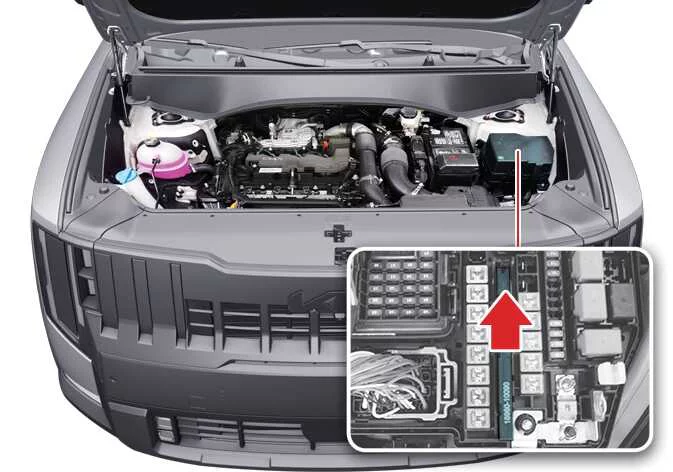
To activate the fog lights, first turn on your headlights, then toggle the fog light switch (1) to the ON position.
-
To deactivate, simply turn the fog light switch (1) back to the OFF position.
TIP
Because the fog lights place a significant demand on the vehicle's electrical system, we recommend utilizing them exclusively when atmospheric conditions genuinely require improved visibility.
 Reverse guide light: (if equipped)
When the transmission is shifted into R (Reverse), the reverse lamps illuminate automatically, and the reverse guide light projects additional light onto the ground behind the Kia Telluride...
 High Beam Assist (HBA)
The High Beam Assist (HBA) system on the Kia Telluride is designed to improve nighttime visibility by automatically switching between high and low beam headlights...
Other information:
Kia Telluride (LQ2, 2027-2026) Owner's Manual: Smart key
The Kia Telluride smart key combines the functions of a mechanical key with advanced remote features, allowing you to lock or unlock the doors and start the vehicle without inserting the key into the ignition. The smart key communicates wirelessly with the Kia Telluride whenever it is within approximately 33 ft.
Kia Telluride (LQ2, 2027-2026) Owner's Manual: Drive mode integrated control system. DRIVE MODE
The drive mode integrated control system in the Kia Telluride allows the driver to choose a driving mode that best matches current road conditions, the surrounding environment, or personal driving preference. DRIVE MODE You can select a suitable drive mode based on your preferred driving feel or the condition of the road ahead.