
Kia Telluride: Automatic climate control system / Rear climate control
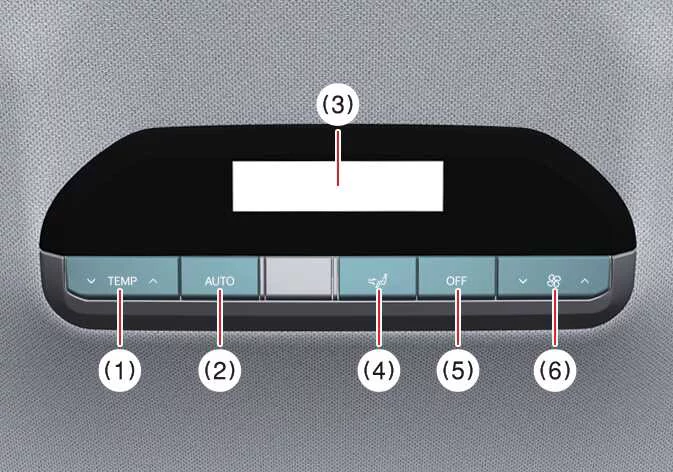
|
|
TIP
If the rear temperature, rear fan speed, or rear mode is adjusted directly via the rear climate control panel, those specific settings will override previous configurations and operate independently, regardless of the current status of the front Kia Telluride climate control system.
Rear mode selection
From the front seat

|
|
-
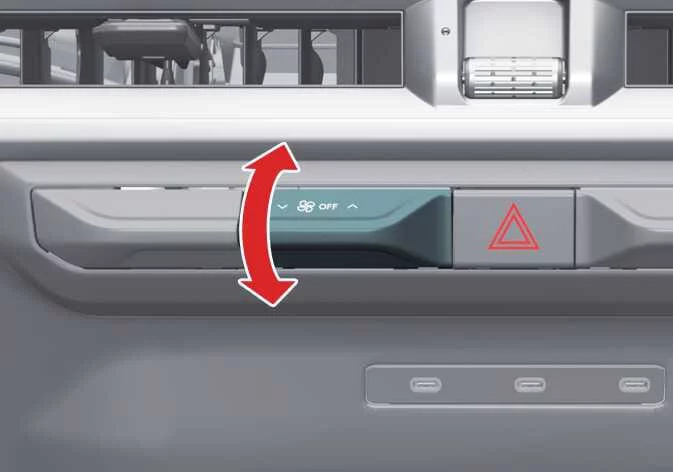
Set the rear climate control selection (REAR) button located on the front climate control panel of your Kia Telluride to the ON position.
-
Press the mode selection lever or icon on the front panel to cycle through and set the preferred ventilation mode for the rear passengers.
-
 : Rear air flows exclusively from the upper ceiling vents.
-
 : Rear air is distributed from both the upper ceiling vents and the lower floor vents.
-
 : Rear air blows primarily from the lower vents located on the right side.
From the rear seat
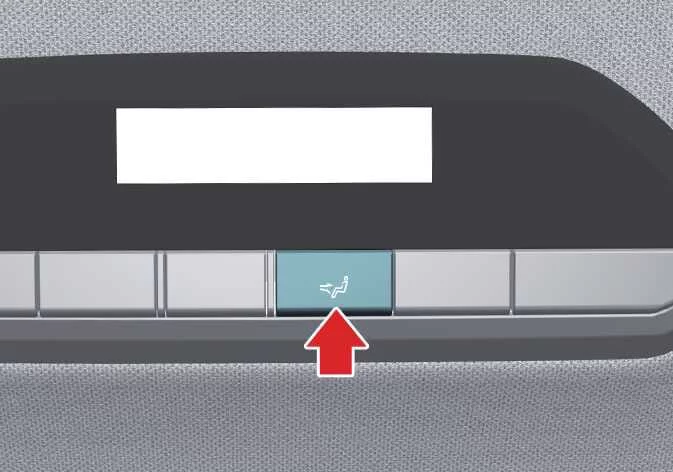
|
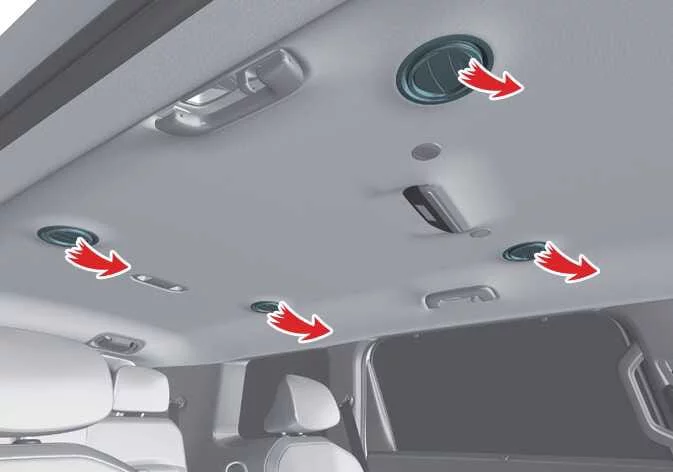
|
After unlocking the rear climate control system, press the rear mode selection button on the secondary control panel to cycle through the following airflow configurations:
-
 : Air is directed from the upper ceiling vents for focused overhead cooling.
-
 : Air is distributed simultaneously from the ceiling vents and the lower vents located on the right rear interior trim.
-
 : Air is channeled solely through the lower vents on the right rear trim panel.
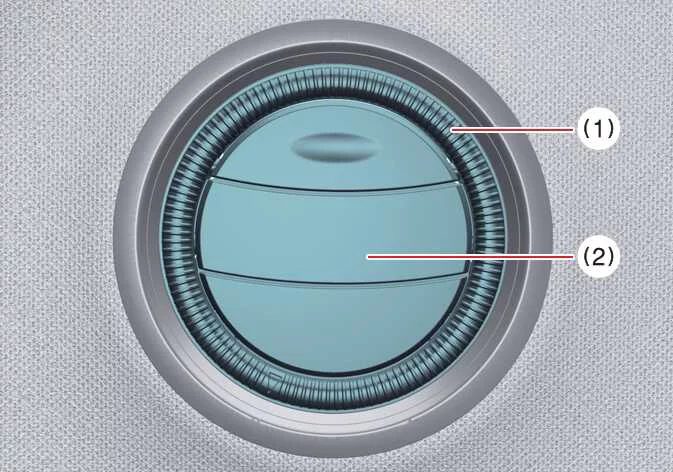
|
|
You can fine-tune the airflow direction by manipulating the control knobs on the air vents positioned above the 2nd and 3rd-row seats of your Kia Telluride. Adjust both the outer and central components of the vent to direct the air exactly where you need it most.
|
Outer part of the vent (1) |
Central part of the vent (2) |
Description |
|---|---|---|
|
Opened ( |
Closed |
The airflow is dispersed broadly around the passenger, though total air volume may be reduced. |
|
Opened ( |
Opened |
The air is spread widely towards and all around the passenger for maximum cabin comfort. |
|
Closed ( |
Opened |
The airflow is concentrated, blowing directly toward the passenger. |
 )
 )
 )
Rear temperature control
From the front seat
|
|
-
Set the rear climate control selection (REAR) button on the front panel of the Kia Telluride to the ON position.
-
Use the temperature control lever on the front console to set the precise temperature for the rear cabin zone.
From the rear seat
|
|
To manually adjust the rear cabin climate, simply press the upper button for warmer air or the lower button for a cooler setting inside your Kia Telluride.
Rear fan speed control
From the front seat
|
|
|
-
Activate the rear climate zone by setting the rear selection (REAR) button on the front panel to ON.
-
Press the fan speed control lever or icon on the front climate panel to achieve your desired level of airflow in the rear of the Kia Telluride.
From the rear seat
|
|
|
-
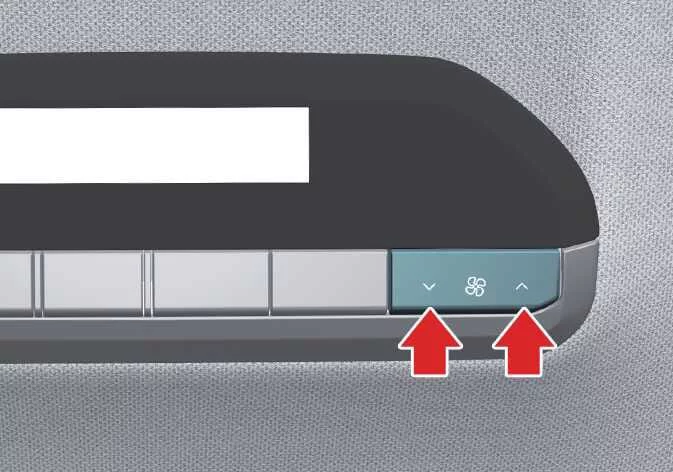
Press the fan speed button located on the rear control panel to cycle through and select the optimal amount of airflow for the back seats.
-
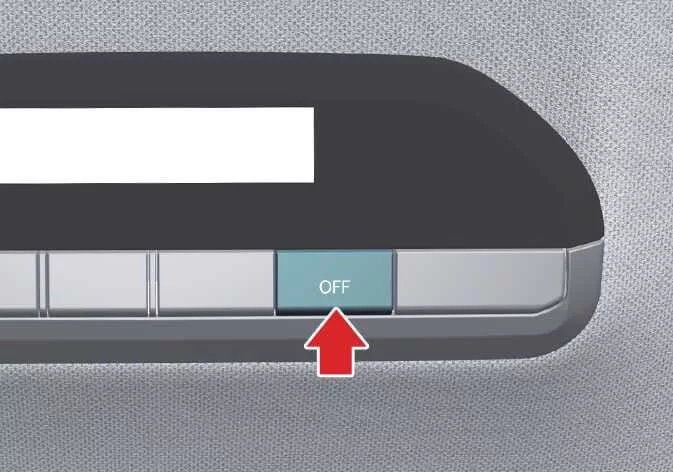
To deactivate the rear air conditioning system entirely, simply press the off button on the rear climate control panel of your Kia Telluride.
 Manual heating and air conditioning (A/C) operation
If you prefer to tailor your environment manually, the Kia Telluride allows you to override automatic settings by interacting directly with the climate control buttons, effectively disengaging the AUTO function...
 Air conditioning (A/C) automatic drying
The A/C Automatic Drying function helps remove moisture that remains inside the air conditioning system after use, reducing the possibility of unpleasant odors developing over time...
Other information:
Kia Telluride (LQ2, 2027-2026) Owner's Manual: Manual heating and air conditioning (A/C) operation
If you prefer to tailor your environment manually, the Kia Telluride allows you to override automatic settings by interacting directly with the climate control buttons, effectively disengaging the AUTO function. To operate the heating and A/C manually, follow these steps: Ensure the vehicle is running.
Kia Telluride (LQ2, 2027-2026) Owner's Manual: Abbreviation
This reference index provides a comprehensive guide to the essential technical acronyms and system abbreviations utilized throughout the official owner documentation for your Kia Telluride, ensuring clear understanding of its advanced features and engineering specifications.