
Kia Telluride: Automatic climate control system / Manual heating and air conditioning (A/C) operation
If you prefer to tailor your environment manually, the Kia Telluride allows you to override automatic settings by interacting directly with the climate control buttons, effectively disengaging the AUTO function.
To operate the heating and A/C manually, follow these steps:
-
Ensure the vehicle is running.
-
Select your preferred airflow mode:
-
Heating mode:

-
Cooling mode:

-
-
Adjust the temperature control to your comfort preference.
-
Set the air intake to external air mode for fresh ventilation.
-
Select your desired fan speed. You may also toggle the A/C compressor on or off manually to suit your needs.
You can return to the intelligent system at any time by pressing the AUTO button, which will immediately transition the Kia Telluride back to its automatically controlled climate state.
Mode selection
|
|
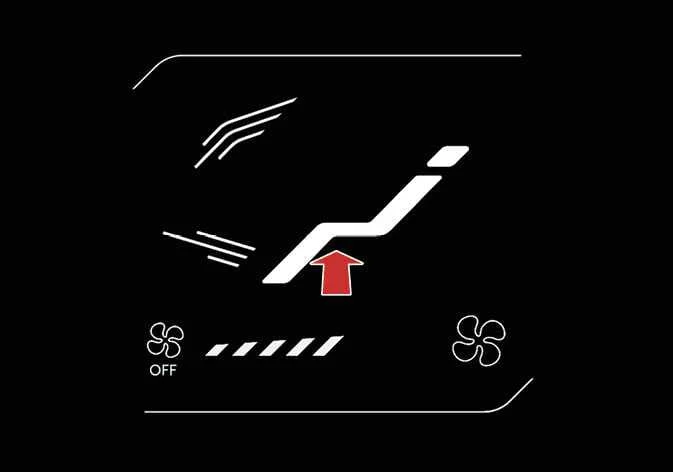
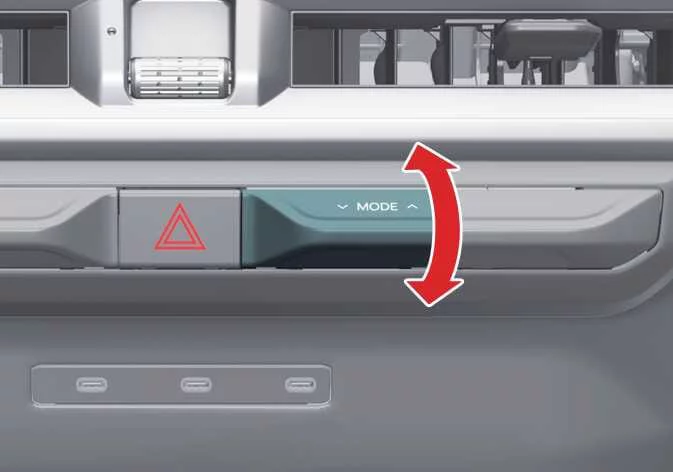
The mode selection lever or icon allows you to redirect airflow precisely through your Kia Telluride cabin ventilation system.
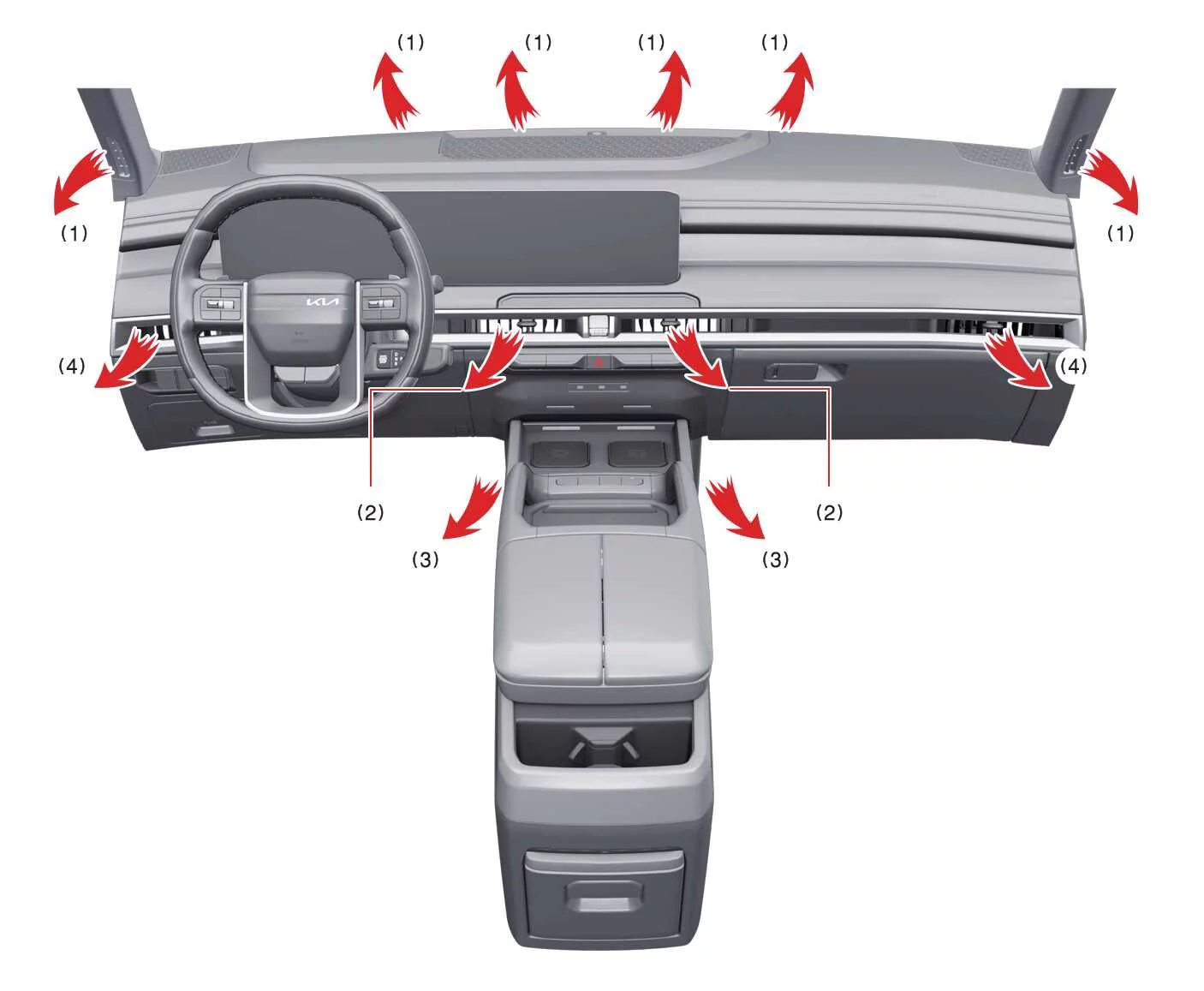
 Face-Level (2, 4)
This mode directs air toward your face and upper body. You retain full control over the specific angle of each vent to customize comfort for all occupants.
 Bi-Level (2, 3, 4)
This setting distributes airflow simultaneously toward your upper body and the footwell area.
 Floor-Level (1, 3, 4)
The majority of air is directed toward the floor level, with a subtle stream of air diverted to the windshield and side window defrosters to maintain clear visibility.
 Floor/Defrost-Level (1, 3, 4)
This mode prioritizes airflow to the floor and the windshield, while also ensuring the side windows receive enough air to prevent fogging.
 Defrost-Level (1, 4)
Designed for maximum clarity, this setting directs most airflow to the windshield, complemented by air delivery to the side window defrosters and side vents.
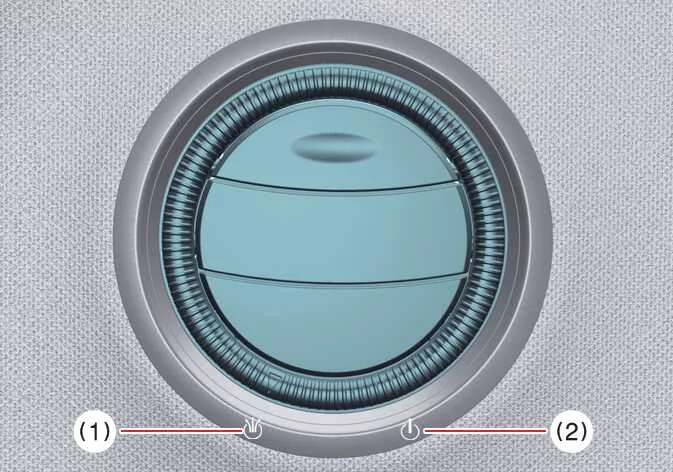
Instrument panel vents
|
|
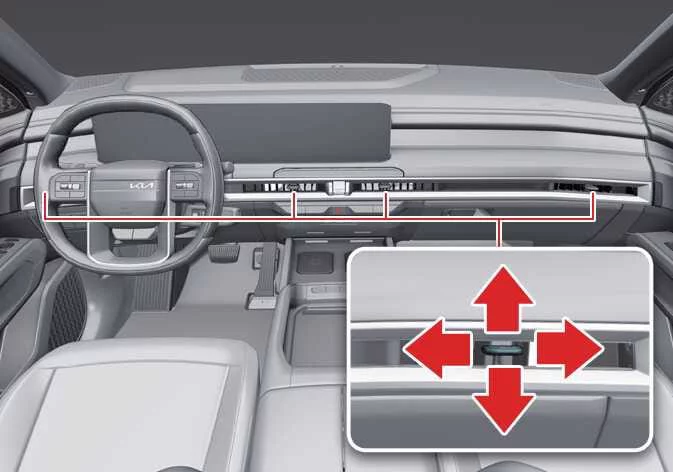
You can adjust the vent airflow direction using the control lever found on each vent.
-
 : Spreads air over a broader area for gentle cooling.
-
 : Focuses air into a centered, concentrated stream.
For further customization of passenger comfort, refer to the Rear mode selection section.
Temperature control
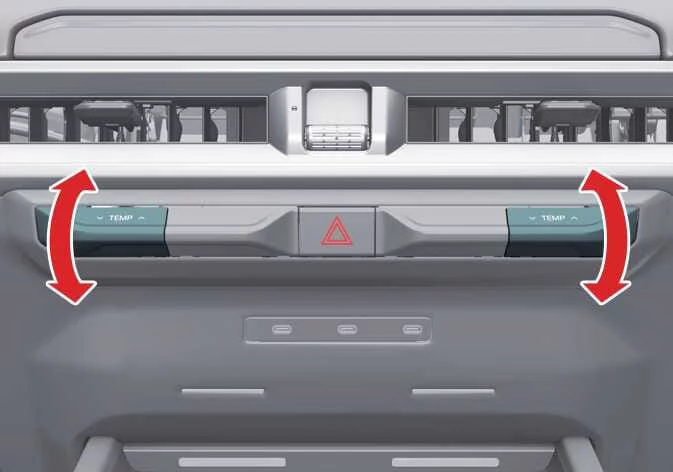
|
Modify cabin temperature by tapping the control lever up to increase heat or down to increase cooling. When the Kia Telluride is set to its lowest temperature threshold, the A/C system remains engaged continuously.
Syncing driver and passenger temperature

|
-
Press the SYNC icon to unify the driver and passenger temperature zones.
-
Once synced, the passenger's climate settings will mirror the driver's. Adjusting the driver's temperature control will then simultaneously update both sides.
-
If you manually rotate the passenger side temperature control, the SYNC function will automatically deactivate, granting the passenger independent control over their own comfort zone.
Adjusting the driver and passenger side temperature individually: To return to individual temperature control after being synced, press the SYNC icon once more. The button's illumination will turn off, indicating that both sides can now be adjusted independently.
Controlling air intake

|
To customize your airflow preferences, simply press the corresponding control icon on the climate interface of your Kia Telluride.
Recirculated air intake
When this mode is active, the system draws air from within the vehicle cabin, circulating it through the heating and cooling system for rapid cabin temperature adjustment or to prevent external pollutants from entering.
External air intake
Selecting this mode introduces fresh air from outside the vehicle, which is then processed by the Kia Telluride HVAC system to be heated or cooled according to your specific climate settings.
Controlling fan speed
|
|
-
Utilize the designated fan speed control icon or the physical lever to modulate the intensity of the airflow to your liking.
-
To adjust the fan speed incrementally, press the right icon to increase the intensity or the left icon to decrease it.
Alternatively, you can physically move the fan speed control lever upward to ramp up the airflow or push it downward to reduce it, providing tactile feedback while operating the Kia Telluride climate settings.
-
To deactivate the fan and shut down the climate airflow, press and hold the left icon.
You can also achieve this by pressing and holding the fan speed control lever in the down position until the system powers off.
Air conditioning (A/C)
|
|
-
To engage the A/C system and begin dehumidifying or cooling the air, press the A/C icon. A clear indicator light will illuminate to confirm that the compressor is active within your Kia Telluride.
-
To turn the A/C system off and return to standard ventilation, press the same icon once more; the indicator light will extinguish.
Turning off the front air climate control
|
|
|
-
To completely shut down the front climate control system, touch and hold the designated power icon (1) or press and hold the fan speed control lever (2) until the display turns off.
-
Please note that you can continue to operate the specific mode and air intake control buttons as long as the Kia Telluride ignition is switched to the ON position.
 Automatic heating and air conditioning (A/C) operation
Tap the AUTO icon on the climate c..
 Rear climate control
Rear temperature..
Other information:
Kia Telluride (LQ2, 2027-2026) Owner's Manual: Smart Cruise Control display and control
You can effortlessly monitor the operational status of the Smart Cruise Control (SCC) system by accessing the "Driving Assist" view located within your Kia Telluride instrument cluster. For a comprehensive overview of how to customize these views, please refer to the detailed LCD display mode settings in your owner’s manual.
Kia Telluride (LQ2, 2027-2026) Owner's Manual: Curtain air bag
The curtain air bags are installed along both roof rails above the front and rear doors of the Kia Telluride. Their purpose is to help protect occupants seated next to the side windows during certain side impacts and rollover events. Curtain air bag The actual curtain air bag modules installed in your vehicle may differ slightly from those shown in the illustration.