
Kia Telluride: Remote Smart Parking Assist operation / Remote Operation
Operating order
Remote Operation in your Kia Telluride follows a structured sequential workflow designed to ensure complete safety and precision maneuverability from outside the vehicle:
-
Initiating system preparation to enable remote forward and backward movement.
-
Executing remote forward and backward maneuvers using smart key inputs.
1. Getting ready to remotely move forward and backward
Depending on whether your Kia Telluride is currently running or completely powered down, you can initialize the Remote Operation function using two distinct operational methods.
Method (1): Using the function with vehicle off
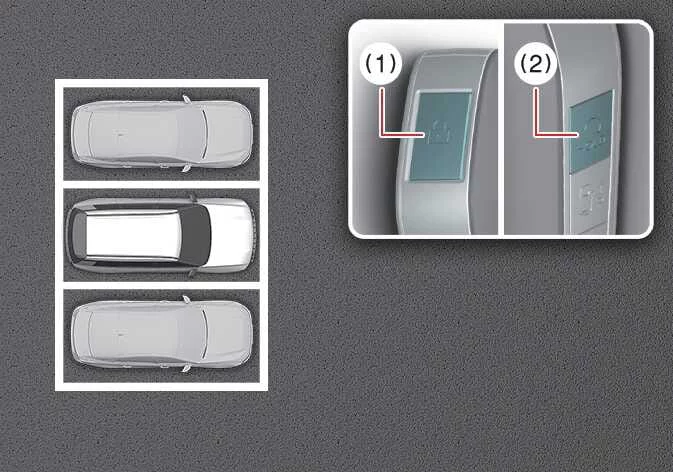
|
|
 ) button on your key fob, and confirm that all passenger doors and tailgate are securely locked.
 ) until the engine ignites and hazard lights flash to indicate readiness.
For supplementary technical instructions regarding remote engine activation protocols, consult the dedicated Lower Anchors and Tether for Children (LATCH) system chapter.
Method (2): Using the function with vehicle on
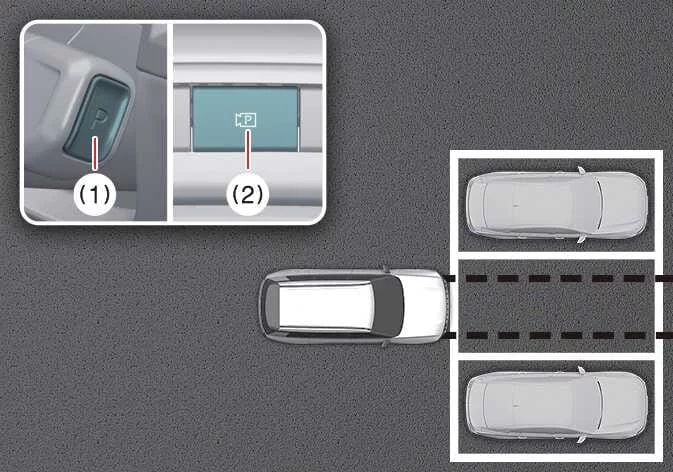
|
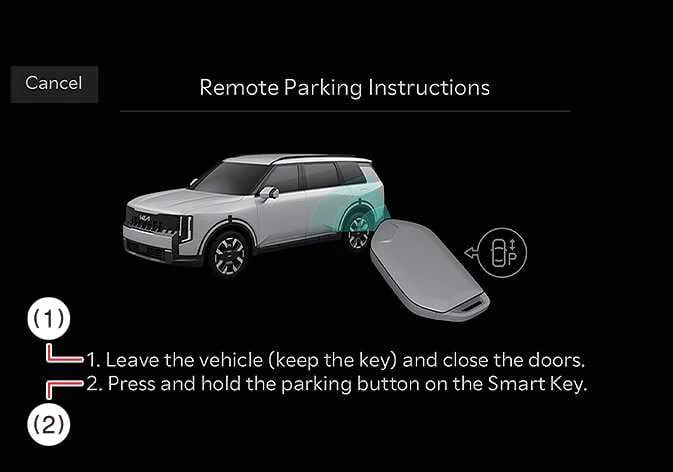
|
-
1. Exit the Kia Telluride cabin while carrying the smart key fob, making sure to firmly close all passenger doors behind you.
-
2. Press and continuously hold the dedicated directional parking button on your smart key fob to begin vehicle control.
-
Position your Kia Telluride directly aligned in front of the target parking space where you intend to engage Remote Operation, then move the gear selector into P (Park).
-
Press and hold the physical Parking/View (
 ) button on the center console to engage Smart Parking Assist. A confirmation status banner reading "Under REMOTE control" will immediately display across the central infotainment touchscreen display.
-
Step out of the Kia Telluride with your smart key fob in hand and verify that every door is fully shut before initiating movement.
TIP
-
The "Agree" terms prompt on the central infotainment display screen must be accepted prior to deployment, and the system software must be functioning normally for Remote Operation to execute properly.
-
Before initiating any external forward or reverse control commands, double-check that no secondary smart key remains stored inside the cabin. If an additional authorized smart key is detected inside the Kia Telluride, the system will automatically block remote maneuver execution as a safety feature.
2. Remote Operation
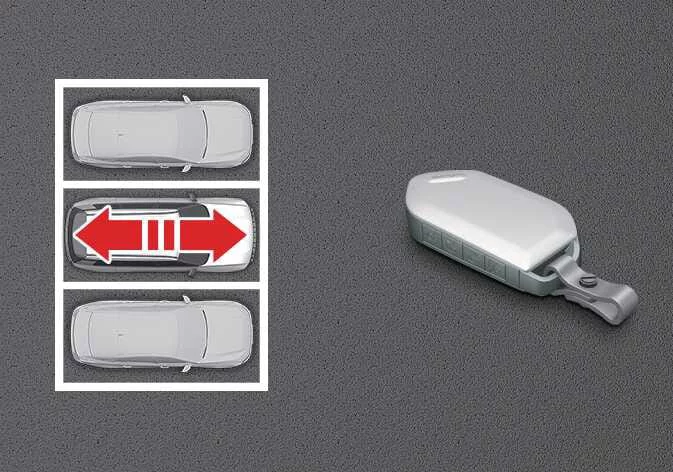
|
Using the Smart key
-
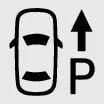
Press and hold either the Forward (
 ) or Backward (
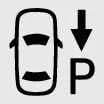 ) button on your smart key fob to direct movement.
-
Remote Smart Parking Assist actively commands precise automated steering corrections, smooth throttle acceleration, controlled braking deceleration, and electronic gear shifting. The SUV will smoothly travel in the exact direction corresponding to the key fob button being held.
-
While the Remote Operation routine is actively moving the vehicle, releasing the button instantly brings the Kia Telluride to a complete, controlled stop and pauses system execution. Re-pressing and holding the button resumes continuous vehicle motion seamlessly.
-
-
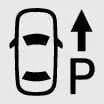
Maintain pressure on the Forward (
 ) or Backward (
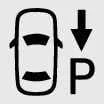 ) button without interruption until your vehicle reaches your desired parking position or exit point.
-
Once the Remote Operation maneuver is fully finalized, enter the Kia Telluride cabin while carrying your smart key, or press the Remote Start (
 ) button on the key fob from the outside.
-
A completion message will appear across the infotainment display screen. The Kia Telluride will automatically shift the transmission into P (Park) and engage the Electronic Parking Brake (EPB).
-
Pressing the Remote Start (
 ) button shuts down the engine completely. If the driver enters the cabin while carrying the key, vehicle ignition will remain securely in the active ON position.
-
TIP
-
Remote Operation enables effortless, precise maneuverability in constrained spaces by allowing drivers to guide the Kia Telluride entirely from outside the vehicle using key fob inputs.
-
Always verify that all smart keys are physically located outside the vehicle cabin before initiating any automated Remote Operation maneuver.
-
Effective key fob transmission distance can fluctuate depending on environmental conditions and nearby electro-magnetic signal interference from high-voltage power lines, broadcast towers, or cellular relays.
-
When executing a remote forward maneuver initiated via Method (1), the system categorizes the action as an exit scenario. The vehicle advances approximately 13 ft. (4 m) while actively scanning for pedestrians, animals, or surrounding obstacles before calculating steering wheel adjustments to clear the area ahead.
-
When initiating a remote forward maneuver using Method (2), the vehicle identifies the process as a parking entry scenario. The system immediately calculates and adjusts steering wheel angles based on detected front obstacles to align the SUV properly within the target space. Detection efficiency can vary based on object dimensions, pedestrian proximity, and ground contours.
-
For remote reverse maneuvers, both Method (1) and Method (2) prioritize steering wheel alignment first, after which the Kia Telluride moves strictly in a straight line backward.
WARNING
-
Always verify that every occupant and pet has fully vacated the cabin before launching any Remote Operation feature on your Kia Telluride.
-
Ensure all side windows and the power sunroof are completely closed, and confirm the vehicle engine is turned off before locking the doors prior to departure.
-
If the 12-volt battery becomes discharged or Remote Smart Parking Assist experiences a system fault while parked in a restricted space, Remote Operation will be unavailable. Always select parking spots with sufficient clearance to allow manual door access if needed.
-
Keep in mind that tight spatial constraints or unexpected environmental barriers may occasionally prevent you from exiting a parking space using the Remote Operation function.
-
Surrounding conditions can change dynamically while parked due to adjacent vehicle movements, construction, or temporary obstacles, which may temporarily prevent Remote Operation from activating.
Remote Smart Parking Assist operation status
|
Operation Status |
Smart key LED |
|---|---|
|
Under control |
Green LED Continuously blinks |
|
Pause |
Red LED Continuously blinks |
|
Off |
Red LED illuminates for 4 seconds and then turns off |
|
Complete |
Green LED illuminates for 4 seconds and then turns off |
TIP
-
Operational visual feedback provided via hazard warning flashers may differ or be restricted based on local regional vehicle regulations and market specifications.
-
If the smart key fob is positioned beyond the maximum operational detection range of approximately 13 ft. (4 m) from your Kia Telluride, the key LED status light will not illuminate or flash. Always stay within range when issuing commands.
How to turn off Remote Operation function while operating
-
Press the physical Parking/View (
 ) button or shift the transmission gear out of P (Park) while guided by Method 2 on the central screen display.
-
Press the dedicated Parking Safety (
 ) button or select the visual "Cancel" softkey on the touchscreen display.
-
Press the Remote Start (
 ) button on the key fob while active automated movement is underway. This instantly deactivates Remote Operation and turns off the vehicle ignition completely.
-
Re-enter the cabin with the key fob present. Remote Operation will cancel immediately, while keeping the engine running and ignition state active.
The function will pause in the following conditions when:
When the Remote Operation routine enters a paused state, the Kia Telluride stops instantly. Once the underlying pause trigger condition is cleared, automated operation can be safely resumed.
-
An ultrasonic sensor or camera detects a pedestrian, animal, or physical object directly within the vehicle's path of travel.
-
Any side door, hood, or rear power liftgate is opened during maneuver execution.
-
Pressure is released from the Forward (
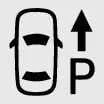 ) or Backward
(
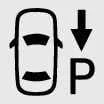 ) directional button on the key fob.
-
Multiple smart key buttons are pressed simultaneously, causing signal conflict.
-
The operator steps outside the 13 ft. (4 m) effective radio frequency communication perimeter.
-
Buttons on a secondary smart key fob are pressed while the primary key is executing vehicle control (excluding start commands).
-
Active driver assistance safety interventions trigger, such as Parking Collision-Avoidance Assist, Blind-Spot Collision-Avoidance Assist, or Rear Cross-Traffic Collision-Avoidance Assist.
The function will cancel in the following conditions when:
If a total system cancellation condition occurs, Remote Operation halts vehicle travel, automatically engages P (Park), and applies the Electronic Parking Brake (EPB).
-
Manual physical steering input is applied to the steering wheel.
-
A manual gear shift selection attempt is registered while the SUV is in motion.
-
The Electronic Parking Brake (EPB) switch is manually triggered while moving.
-
The vehicle hood is unlatched or opened during remote operation.
-
Either the brake pedal or accelerator pedal is depressed while all doors remain closed.
-
The smart key is detected outside the vehicle while the brake pedal is depressed with the driver door open.
-
Unintended rapid wheel acceleration is detected by system monitoring sensors.
-
Tire slip or loss of surface traction is detected across any wheel hub.
-
A drive wheel becomes physically bound or blocked by an immovable road obstacle.
-
Continuous operational elapsed time reaches approximately 3 minutes and 50 seconds since maneuver initialization.
-
The surface incline or road gradient angle exceeds designated safe operating limits.
-
Cumulative travel distance exceeds 66 ft. (20 m) within a single continuous remote session.
-
System self-diagnostics detect abnormal behavior in steering, gear shifting, electronic braking, or drivetrain control units.
-
Smart key wireless communication drops or a low key fob battery voltage alert is triggered.
-
Active traction and safety systems such as ABS, TCS, or ESC engage due to low-friction or slippery road surfaces.
-
The vehicle's Anti-Theft Alarm System is triggered and sounds an acoustic alarm alert.
 Remote Smart Parking button
Parking/View button Smart key ..

Other information:
Kia Telluride (LQ2, 2027-2026) Owner's Manual: Audio system
NOTE If an aftermarket High Intensity Discharge (HID) headlight is installed, the audio system and other electronic components in your Kia Telluride may not operate correctly. When metallic window tint film is applied to the glass, it may interfere with the hi-pass communication function, radio reception, connected vehicle services, and the automatic headlight activation function.
Kia Telluride (LQ2, 2027-2026) Owner's Manual: Limitations of Forward Collision-Avoidance Assist
While the advanced safety suite in your Kia Telluride is engineered to provide an extra layer of protection on the road, it is important to acknowledge that the Forward Collision-Avoidance Assist (FCA) system has functional limitations. For detailed information regarding the specific constraints of the interior camera system, please consult the section dedicated to the Forward Attention Warning (FAW).