
Kia Telluride: Door locks / With the smart key
The Kia Telluride smart key allows you to conveniently lock and unlock the doors and liftgate without removing the key from your pocket or bag. It also enables push-button engine starting. Refer to the related sections of this manual for complete operating information.
|
Locking
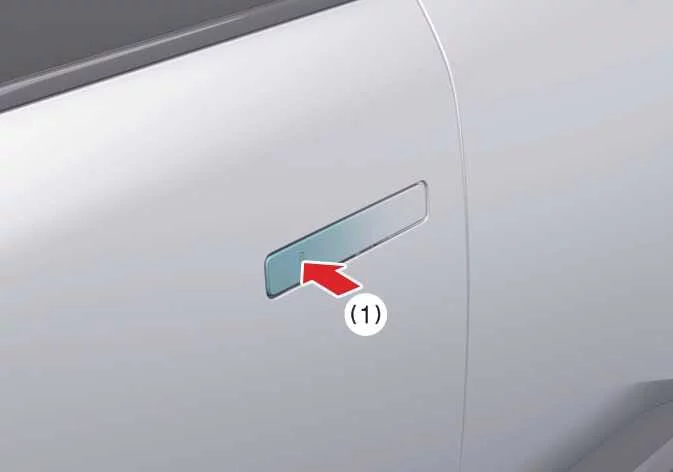
With all doors closed and at least one door unlocked, touch the lock/unlock sensor located on the outside driver's door handle. All doors will lock automatically. When every door and the hood are fully closed, the hazard warning lights will flash once to confirm that your Kia Telluride has been successfully locked.
Unlocking
-
When all doors are closed and locked, touch the lock/unlock sensor on the driver's outside door handle once. The driver's door will unlock, the hazard warning lights will flash twice, and the chime will sound twice to confirm the operation.
-
Touch the driver's door handle sensor a second time to unlock all remaining doors. The hazard warning lights will flash twice and the confirmation chime will sound twice.
-
Touch the lock/unlock sensor on the front passenger's outside door handle while all doors are locked. All doors will unlock, and the hazard warning lights will flash twice to indicate successful unlocking.
TIP
-
The outside door handle touch sensor operates only when the registered smart key is within approximately 40 in. (1 m) of the corresponding door handle.
-
If you attempt to lock the vehicle using the outside door handle sensor, the doors will not lock and the warning chime will sound for approximately three seconds under any of the following conditions:
-
The smart key remains inside the Kia Telluride.
-
The vehicle is in the ACC or ON position.
-
Any door other than the liftgate is still open.
After unlocking the vehicle, the doors will automatically relock if no door or the liftgate is opened within approximately 30 seconds.
-
Approach Unlock system
On equipped Kia Telluride models, the outside door handles automatically extend and the doors unlock when the driver approaches the vehicle while carrying a registered smart key.
The Approach Unlock feature can be enabled or disabled through the infotainment system settings.
To configure the system so that only the driver's door unlocks when approaching the vehicle, select Setup > Vehicle > Door Unlock on Approach or Touch > Unlock Driver's Door on the infotainment system screen.
When washing the vehicle
Self-service car wash
-
Keep all doors locked and ensure the outside door handles remain fully closed before washing the vehicle.
-
Water, cleaning cloths, or brushes may activate the lock/unlock sensor and cause the door handles to extend. Keep the smart key at least 78 in. (2 m) away from the Kia Telluride whenever possible to help prevent unintended operation of the outside door handles.
NOTE
If an unintended warning sound occurs while washing the vehicle, leave the smart key inside the vehicle and keep the ignition in the ACC or ON position.
Automatic car wash
-
Before entering an automatic car wash, place the vehicle in ACC or ON mode and shift the transmission to the N (Neutral) position.
Refer to To stay in N (Neutral) when engine is OFF for additional information.
-
If you remain inside the Kia Telluride with the registered smart key, keep all doors locked throughout the washing process.
-
If the smart key is outside the vehicle, keep every door locked and maintain a distance of at least 78 in. (2 m) from the vehicle to prevent the outside door handles from operating unintentionally.
CAUTION
If the Kia Telluride enters an automatic car wash with the outside door handles extended, the handles may be damaged or the doors could unintentionally open. Always verify that the door handles are fully retracted before entering the wash.
 Door locks
Understanding how the door locking system operates will help you securely lock and unlock the doors and liftgate of your Kia Telluride while taking full advantage of its smart access features...
 With the mechanical key
The mechanical key can be used to manually lock or unlock the driver's door whenever the smart key battery is discharged or the electr..
Other information:
Kia Telluride (LQ2, 2027-2026) Owner's Manual: Normal maintenance schedule
You must perform the following maintenance services to ensure good emission control and performance. Keep receipts for all vehicle services to protect your warranty. Where both the mileage and date are shown, the frequency of service you need is based on whichever occurs first.
Kia Telluride (LQ2, 2027-2026) Owner's Manual: ENGINE START/STOP button. Starting the engine
The ENGINE START/STOP button in the Kia Telluride illuminates whenever the front door is opened, making it easier to locate in low-light conditions. The illumination automatically turns off approximately 30 seconds after the door is closed, or immediately when the theft-alarm system is armed.