
Kia Telluride: Interior features / Power outlet
The Kia Telluride power outlet supplies electrical power for mobile phones and other accessories specifically designed to operate with the vehicle's 12-volt electrical system. It may also be used with compatible electronic devices that meet the outlet's operating requirements.
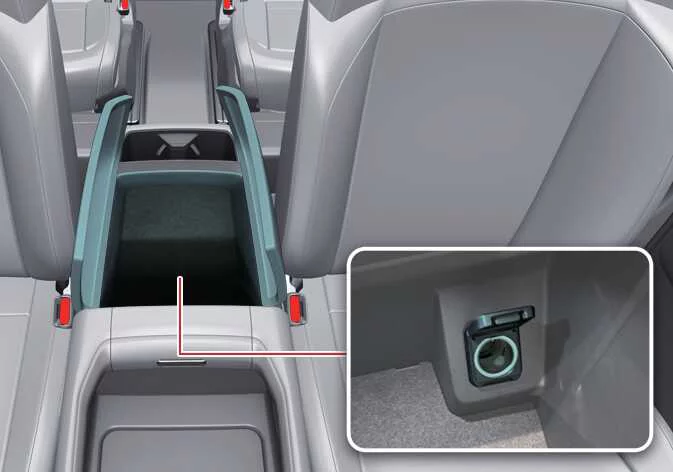
|
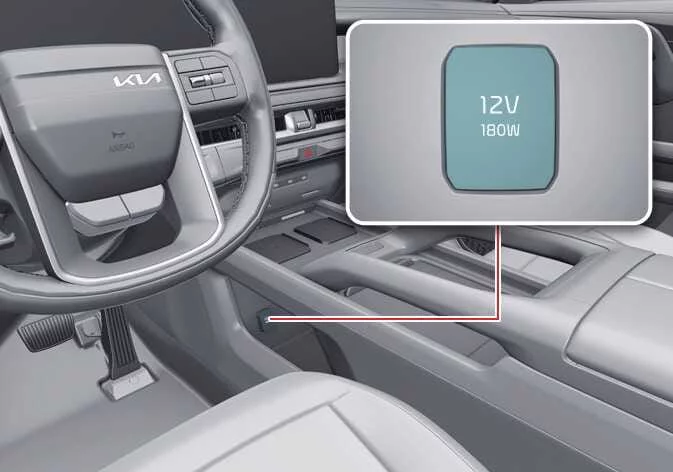
|
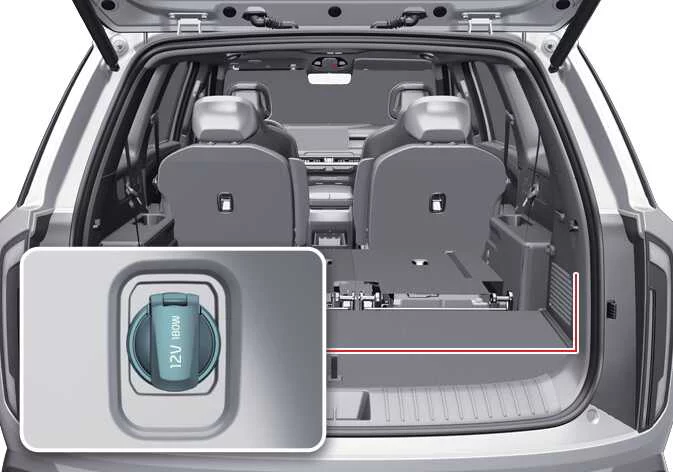
|
Connected devices should draw less than 15A while the vehicle is in the ON position to ensure proper operation of the Kia Telluride electrical system.
WARNING
Electric shock
Never insert your finger or foreign objects, such as pens, metal tools, or similar items, into the power outlet. Also, avoid touching the outlet with wet hands, as doing so may result in an electric shock.
NOTE
-
Use the power outlet only when the vehicle is in the ON position, and unplug any connected accessory after use. Leaving accessories connected for extended periods while the vehicle is OFF may discharge the battery.
-
Only connect 12V electrical accessories with a current draw of less than 15A.
-
When using the power outlet, set the heater or air conditioner to the lowest operating level whenever possible to help reduce the electrical load.
-
Keep the protective cover closed whenever the outlet is not in use to help prevent contamination or accidental contact.
-
Some electronic devices may generate electrical interference when connected to the Kia Telluride power outlet. This interference can result in audio noise or affect the operation of other electronic systems within the vehicle.
-
Insert the accessory plug completely into the outlet. A loose connection may create excessive heat and could cause the outlet fuse to open.
-
Battery-powered electronic devices should include reverse current protection. Without this protection, electrical current may flow back into the vehicle's electrical system and potentially cause a malfunction.
WARNING
Do not connect another vehicle's Tire Mobility Kit (TMK) to the Kia Telluride power outlet. Differences in electrical requirements between the power outlet and the TMK may result in fire, circuit damage, or damage to both the vehicle and the repair kit.
 USB charger
The USB charger in the Kia Telluride is intended for recharging small electronic devices, such as smartphones or tablet PCs, through a compatible USB cable...
 AC inverter: (if equipped)
The available AC inverter supplies 115V/150W household-style power, allowing compatible electrical accessories and equipment to be operated directly from the Kia Telluride while driving or when the vehicle is running...
Other information:
Kia Telluride (LQ2, 2027-2026) Owner's Manual: Digital key 2 (card key)
How to register Digital Key 2 (card key) To use a card key as a Digital Key 2 for your Kia Telluride, the card must first be registered in the vehicle system by following the procedure below: Enter the vehicle with 2 smart keys. 1) Wireless charging pad Check whether the Use menu is activated.
Kia Telluride (LQ2, 2027-2026) Owner's Manual: ISG malfunction indicator
If an ISG-related sensor or system fault occurs, the Idle Stop & Go system may not operate normally, and the following indications may appear: The yellow AUTO STOP indicator () blinks for approximately 5 seconds and then remains illuminated on the instrument cluster.