
Kia Telluride: Driving your vehicle / Idle Stop and Go (ISG)
The Idle Stop & Go (ISG) system in the Kia Telluride is designed to help reduce fuel consumption by automatically stopping the engine when the vehicle is stationary and restarting it when driving conditions require engine operation again.
AUTO STOP
When ISG is active and you press the brake pedal to bring the Kia Telluride to a complete stop, the engine may automatically shut off to reduce unnecessary idling.
Bring the vehicle to a full stop by depressing the brake pedal while the transmission is in D (Drive) or N (Neutral).
|
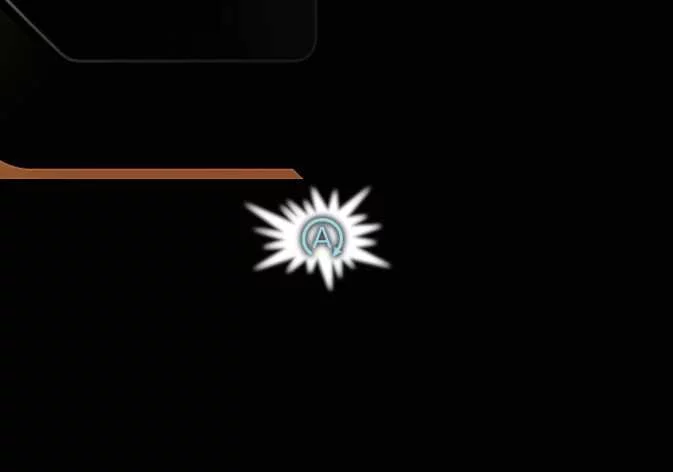
When the engine stops automatically, the green AUTO STOP indicator ( ) appears on the instrument cluster.
|
|
NOTE
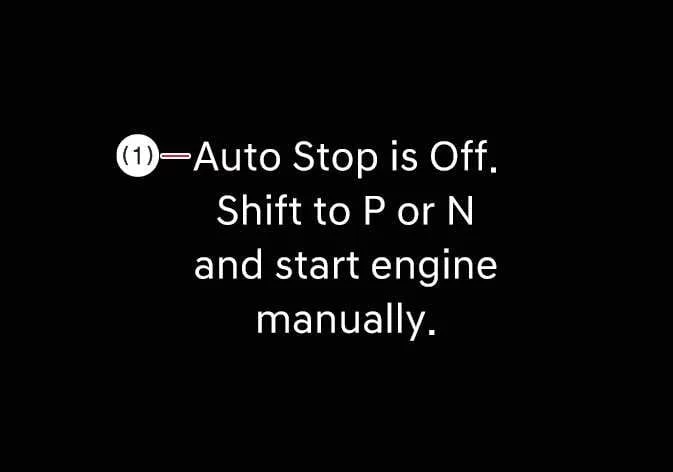
If the hood is opened while the Kia Telluride is in Auto Stop mode, the following conditions occur:
-
The ISG system deactivates, and the ISG OFF indicator light turns on.
-
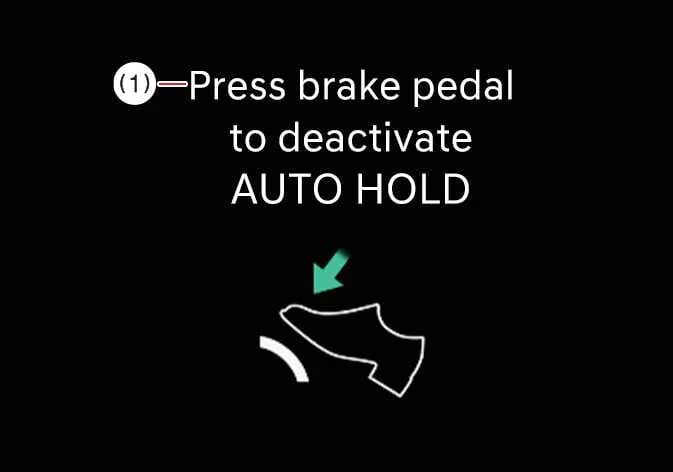
A warning message appears on the instrument cluster:
-
Press brake pedal to deactivate AUTO HOLD
-
-
If you shift from N (Neutral) to D (Drive) or R (Reverse) after the engine has stopped automatically without pressing the brake pedal, the engine will not restart by itself and a warning chime will sound. To allow automatic restart, depress the brake pedal.
AUTO START
After ISG has automatically stopped the engine, the engine restarts when one of the following actions is performed:
-
You release the brake pedal.
-
You shift into R (Reverse) or D (Drive) while keeping the brake pedal depressed.
When the engine restarts, the green AUTO STOP indicator ( ) disappears from the instrument cluster.
The engine may also restart automatically without driver input if any of the following conditions occur:
-
Brake vacuum pressure becomes low.
-
The engine has remained stopped for approximately 5 minutes.
-
The air conditioning is operating with the fan speed set to the highest level.
-
The front defroster is turned on.
-
The 12V battery charge level is low.
-
The heating or cooling performance of the climate control system is not sufficient.
-
You shift to P (Park) while AUTO HOLD is active.
-
The driver side door is opened or the driver seat belt is unfastened while AUTO HOLD is active.
-
The EPB switch is pressed while AUTO HOLD is active.
Operating condition(s)
The ISG system operates only when the required vehicle and environmental conditions are satisfied:
-
The driver’s seat belt is fastened.
-
The driver side door and hood are fully closed.
-
Brake vacuum pressure is adequate.
-
The 12V battery sensor is active, and the 12V battery has sufficient charge.
-
The outside temperature is within the required operating range and is not extremely low or high.
-
The vehicle has been driven at a steady speed before coming to a stop.
-
The climate control system operating conditions are satisfied.
-
The Kia Telluride has warmed up sufficiently.
-
The road incline is not steep.
-
The steering wheel is turned less than 180 degrees before the vehicle stops.
TIP
-
If the required operating conditions are not met, ISG deactivates. The ISG OFF button illuminates, and the Auto Stop conditions not met warning message appears on the instrument cluster.
-
If the ISG indicator light or warning message remains displayed continuously, review the operating conditions before assuming a system fault.
 Vehicle auto shut-off system: (if equipped)
The Vehicle Auto Shut-off system automatically switches the Kia Telluride off after a user-selected period of idling. This feature is intended to reduce unnecessary fuel consumption, conserve energy, and help minimize the risk associated with prolonged engine operation, including carbon monoxide exp..
 Deactivating the ISG
To deactivate ISG, press the ISG OFF button. The indicator light on the button illuminates...
Other information:
Kia Telluride (LQ2, 2027-2026) Owner's Manual: Light bulb position (Side)
Side repeater lamp (LED type)
Kia Telluride (LQ2, 2027-2026) Owner's Manual: Junction Crossing function: (if equipped)
The Junction Crossing function of Forward Collision-Avoidance Assist is designed to help the driver when moving through an intersection where another vehicle may approach from the left or right. In the Kia Telluride, this function may operate through the following stages: Collision Warning Emergency Braking Stopping vehicle and ending brake control Collision Warning Collision Warning Collision Warning can alert the driver with a blinking Forward Safety warning light (), a warning message on the instrument cluster, an audible warning, and steering wheel vibration.